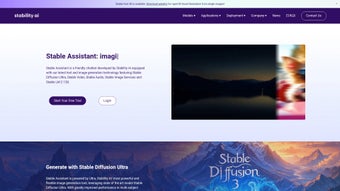

Download Stable Assistant – AI Writing, Image Generation & Video Creation Tool
Overview
Stable Assistant is a comprehensive web‑based AI platform that blends cutting‑edge text generation with powerful image creation. Built on the latest Stable Diffusion 3 model for visuals and Stable LM 2 12B for language, the tool delivers high‑quality outputs from simple prompts. Whether you’re a blogger drafting a post, a marketer crafting social‑media captions, a designer needing quick concept art, or a video creator looking to turn ideas into motion, Stable Assistant provides a single, secure environment to get the job done.
The interface is intuitive: a chatbot‑style window handles text requests, while a dedicated “Stable Image Services” panel offers advanced editing utilities such as Search & Replace, background removal, creative upscaling, and more. For users who want to go beyond static media, the “Stable Video” module converts text or images into short, engaging videos, expanding the creative possibilities without the need for separate software. Because the service runs entirely in the browser, you can download, update, and use it on Windows, macOS, Linux, Android, or iOS devices without installing bulky executables.
The platform is also free to start, with optional premium tiers for higher‑resolution outputs and faster processing. In short, Stable Assistant is the all‑in‑one AI writing and visual creation tool that helps creators produce professional‑grade content quickly, securely, and at a fraction of the traditional cost.
Key Features & Easy Installation
Stable Assistant packs a rich feature set that rivals standalone desktop applications while keeping the convenience of a cloud‑based service. Below is a concise list of the most valuable capabilities, followed by a step‑by‑step guide to get you up and running in minutes.
- AI Text Generation: Powered by Stable LM 2 12B, the chatbot can draft blogs, write scripts, generate product descriptions, and even suggest SEO‑friendly titles.
- Stable Diffusion 3 Image Engine: Create photorealistic or artistic images from plain English prompts with support for custom styles and aspect ratios.
- Stable Image Services: Includes Search & Replace, Remove Background, Creative Upscale, Color Adjust, and Batch Processing for bulk edits.
- Stable Video Creator: Transform text narratives or a series of images into short videos, complete with AI‑generated voiceovers and background music.
- Secure Cloud Processing: All data is encrypted in transit, and no personal files are stored permanently on the server.
- Cross‑Platform Accessibility: Runs on any modern browser, making it usable on Windows, macOS, Linux, Android, and iOS without additional downloads.
- Free Tier & Premium Upgrades: Access basic generation for free; unlock higher resolution, priority queues, and commercial usage rights with a paid plan.
- Regular Updates: The development team pushes weekly model improvements and UI enhancements, ensuring you always have the latest AI capabilities.
How to Install and Start Using Stable Assistant
Because Stable Assistant is a web application, the installation process is remarkably simple:
- Visit the Official Site: Open your preferred browser (Chrome, Firefox, Edge, Safari) and go to stableassistant.example.com.
- Create an Account: Click “Sign Up,” enter a valid email address, and set a strong password. A verification email will be sent—confirm it to activate your account.
- Choose Your Plan: Select the free tier to start experimenting, or upgrade instantly if you need higher‑resolution outputs.
- Familiarize with the Dashboard: The home screen displays three main tabs—Chat (text), Image (Stable Diffusion), and Video (Stable Video). Each tab includes a short tutorial overlay for first‑time users.
- Start Generating: Type a prompt into the chatbot or the image field, adjust settings (style, size, length), and click “Generate.” Results appear within seconds, and you can download the files directly to your device.
- Optional Desktop Shortcut: For quick access, click the browser’s “Add to Home Screen” option (available on most browsers). This creates a shortcut that behaves like a native app.
The entire process takes under five minutes, even on a modest internet connection, making Stable Assistant one of the fastest ways to access AI‑powered creative tools.
Compatibility, Pros & Cons
Stable Assistant runs on any device that supports modern web standards, including Windows 10/11, macOS 12+, Linux distributions with a recent Chromium‑based browser, Android 8+, and iOS 13+. Because the heavy lifting is performed on remote servers, your local hardware only needs enough RAM (2 GB minimum) and a stable internet connection (minimum 5 Mbps) to stream results smoothly.
Pros
- All‑in‑one solution for text, image, and video generation.
- No heavy installations; works directly from the browser.
- High‑quality outputs thanks to Stable Diffusion 3 and Stable LM 2 12B.
- Robust image editing suite eliminates the need for separate graphic tools.
- Free tier enables testing without commitment.
- Regular updates keep the AI models current.
- Secure, encrypted data transmission protects user privacy.
Cons
- Reliant on internet connectivity; offline use is not possible.
- Free tier limits resolution and daily generation quotas.
- Processing time can vary during peak usage periods.
- Advanced features (e.g., commercial video exports) require a paid plan.
Stable Assistant delivers a seamless blend of AI writing and visual creation that feels both powerful and approachable. The free tier is generous enough for hobbyists, while the premium plans unlock professional‑grade assets. Its browser‑only approach removes friction, though reliance on a constant internet connection can be a drawback for users in low‑bandwidth regions. Overall, it’s a solid, future‑ready tool for anyone looking to boost content production without juggling multiple apps.
Frequently Asked Questions
Is Stable Assistant really free to use?
Yes, there is a free tier that allows you to generate up to 20 images and 5 text pieces per day. Premium plans are optional and provide higher limits, faster processing, and commercial usage rights.
Can I use Stable Assistant on my mobile device?
Absolutely. The platform is fully responsive and works on Android and iOS browsers. You can also add a home‑screen shortcut to make it feel like a native app.
How secure is my data when I generate content?
All communications are encrypted with HTTPS, and the service does not retain your generated files longer than necessary for processing. You can delete any assets from your dashboard at any time.
Do I need a powerful computer to run Stable Assistant?
No. Because the AI models run on remote servers, any modern computer or smartphone with a stable internet connection can use the tool. Only basic RAM and a recent browser are required.
What file formats are supported for download?
Images are available in PNG and JPEG, text outputs in plain TXT or Markdown, and videos in MP4 (H.264) format. Premium users can also export lossless PNGs and 4K MP4s.
Conclusion – Boost Your Creative Workflow Today
Stable Assistant stands out as a versatile, secure, and browser‑based AI tool that bridges the gap between writing, image creation, and video production. Its integration of the latest Stable Diffusion 3 and Stable LM 2 models ensures high‑quality results, while the user‑friendly interface reduces the learning curve for beginners. Whether you’re a solo creator, a small business, or a larger marketing team, the platform’s free tier lets you test the waters, and the scalable premium plans grow with your needs. Ready to accelerate your content pipeline? Download Stable Assistant now and start generating professional‑grade text, visuals, and videos in seconds.



.png)



